Colurvist › Plate, the photo editor
Plate: a free online photo editor with layers, masks and AI
Plate is a full, layer-based photo editor that runs in your browser — the tools you expect from a desktop editor, nothing to install, and your photos stay on your computer while you work. Editing is free; the AI tools are there when you want them, each with its price shown first.
What it does
Layers and masks
Layers, nested groups, 27 blend modes, layer masks and vector masks, clipping, layer styles (shadow, glow, stroke, bevel), smart objects and non-destructive adjustment layers.
Selections
Quick select, Object select (it finds things under the pointer, on your computer), Select subject, Color range, Focus area, and Select and mask for hair and fur.
Colour and light
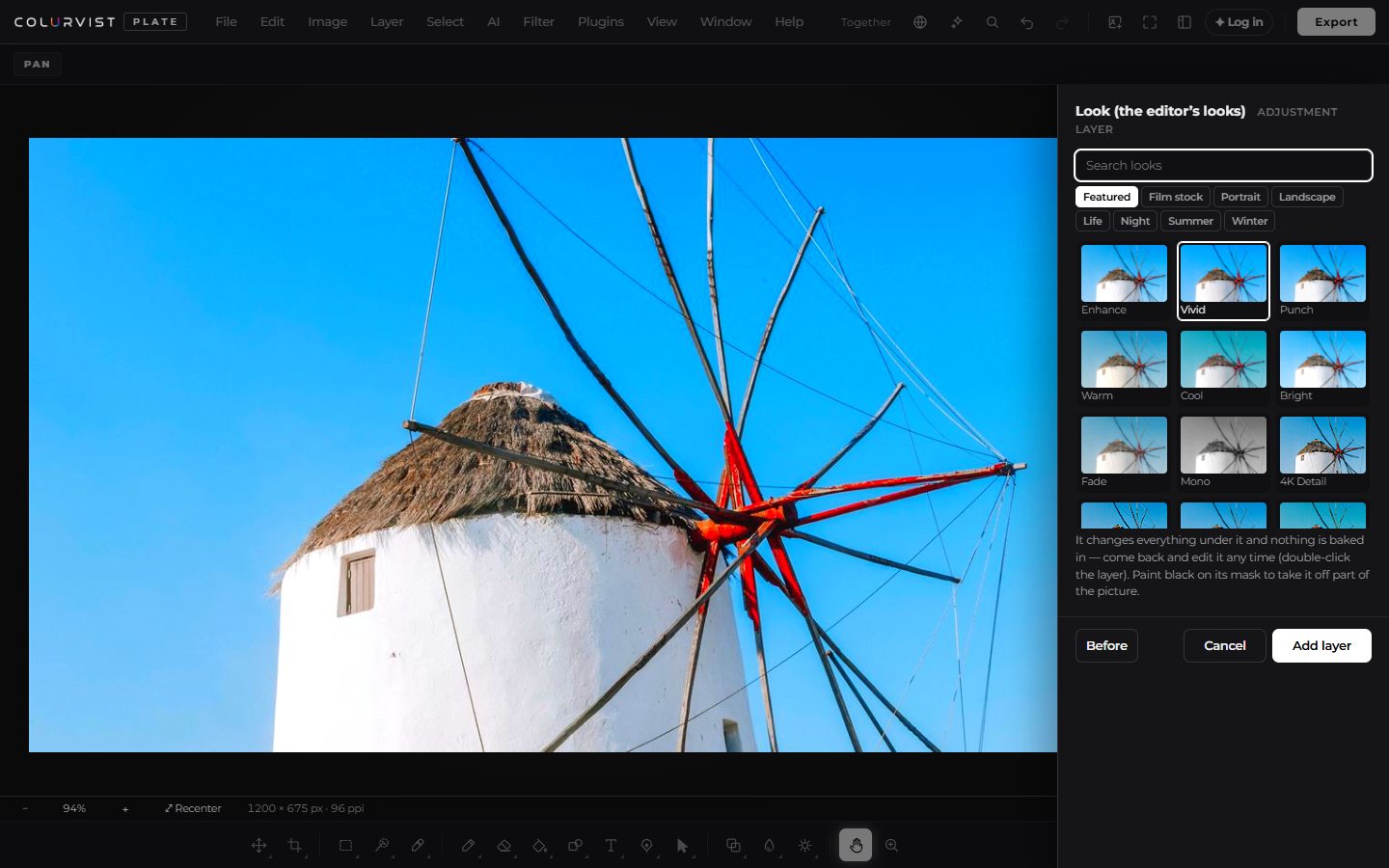
Curves, Levels, Develop (exposure, highlights, shadows, dehaze, texture, clarity), colour wheels, 314 colour looks, .cube lookups, HDR toning, black and white.
Retouching
Remove tool and content-aware fill, spot heal, healing brush, patch, clone stamp, red eye, Retouch portrait, and Liquify with face sliders.
Text and design
The whole Google Fonts library and your own fonts, paragraph text, text on a path and warp, a shape library, templates, a brand kit and Magic resize.
Files
Opens JPEG, PNG, WebP, HEIC, TIFF, camera RAW, PSD (with layers), SVG and PDF. Exports PNG, JPEG, WebP, AVIF, JPEG XL, TIFF, PSD, PDF, SVG, GIF and icon sets, in 8, 16 or 32 bits.
AI, when you want it
Remove background, generative fill, expand the canvas, erase, edit with words, generate, restyle, repair old photos and upscale — each with its price shown first. Depth, relight and harmonize run free on your computer.
Work and share
Projects with their undo history, cloud saves and shared folders, editing together with comments, view-only and client-review links, actions and batch processing.
Free, and what costs credits
Everything that runs on your computer is free, with no watermark: every layer, selection, adjustment, filter, retouching tool, the free object finder, depth and relight, and export up to 4×. Only the AI tools that run on the server use credits:
| Tool | Credits |
|---|---|
| Remove background | 2 (fine edges 3) |
| Select subject | 2 (fine edges 3) |
| Replace background | 3 |
| Erase with AI | 2 |
| Generative fill | 3 |
| Expand the canvas | 2 |
| AI upscale (a picture) | 2 |
| Edit with words · Generate · Restyle · Repair | depends on the engine you pick, from 1 |
A job that fails is not charged. Exporting at true 4K needs any Colurvist plan.
For everyone
- Keyboard: every menu, tool, panel and layer is reachable — F6 moves between areas, F10 opens the menus, and Ctrl+K finds any command or answers “how do I…”.
- Screen readers: controls are labelled, the status line is read out, dialogs take and return focus.
- High contrast theme, interface scaling, and 13 languages — Arabic and Urdu mirror the whole layout right to left.
- Phones and tablets: pinch to zoom, two-finger tap to undo, three to redo, long-press menus, and palm rejection when you draw with a pen.
Guides
Questions
Is Plate free?
Yes. Every editing tool in Plate is free — layers, masks, selections, adjustments, filters, retouching, text and export. Only the AI tools that run on the server use credits, and each shows its price before it runs. Exporting at true 4K needs any plan.
Do I need to install anything?
No. Plate runs in your web browser on Windows, Mac, Linux, Chromebooks, tablets and phones. You can also install it from the browser as an app.
Can Plate open PSD files?
Yes. Layers, groups, masks, blend modes, text, layer effects, adjustment layers and smart objects come in and stay editable, and Plate can export PSD files too.
Are my photos uploaded?
No. Opening, editing and exporting happen on your computer. A photo is sent to the server only when you run a server AI tool, for that job, or when you choose to save to the cloud or share a link.
Does it work with the keyboard and screen readers?
Yes. Every menu, tool, panel and layer can be reached from the keyboard (F6 moves between areas, F10 opens the menus), controls are labelled for screen readers, and there is a high-contrast theme. Arabic and Urdu mirror the whole layout.
Can I use my own fonts and brushes?
Yes. Load your own font files, browse the whole Google Fonts library, and import Photoshop .abr brushes and .pat patterns.
Read next: Remove a background · Replace a sky · Remove objects from photos · Retouch a portrait · Color grade a video · All models
Last reviewed 1 October 2026.